2026-09-21
How to Accept Crypto Payments Without a Browser Extension
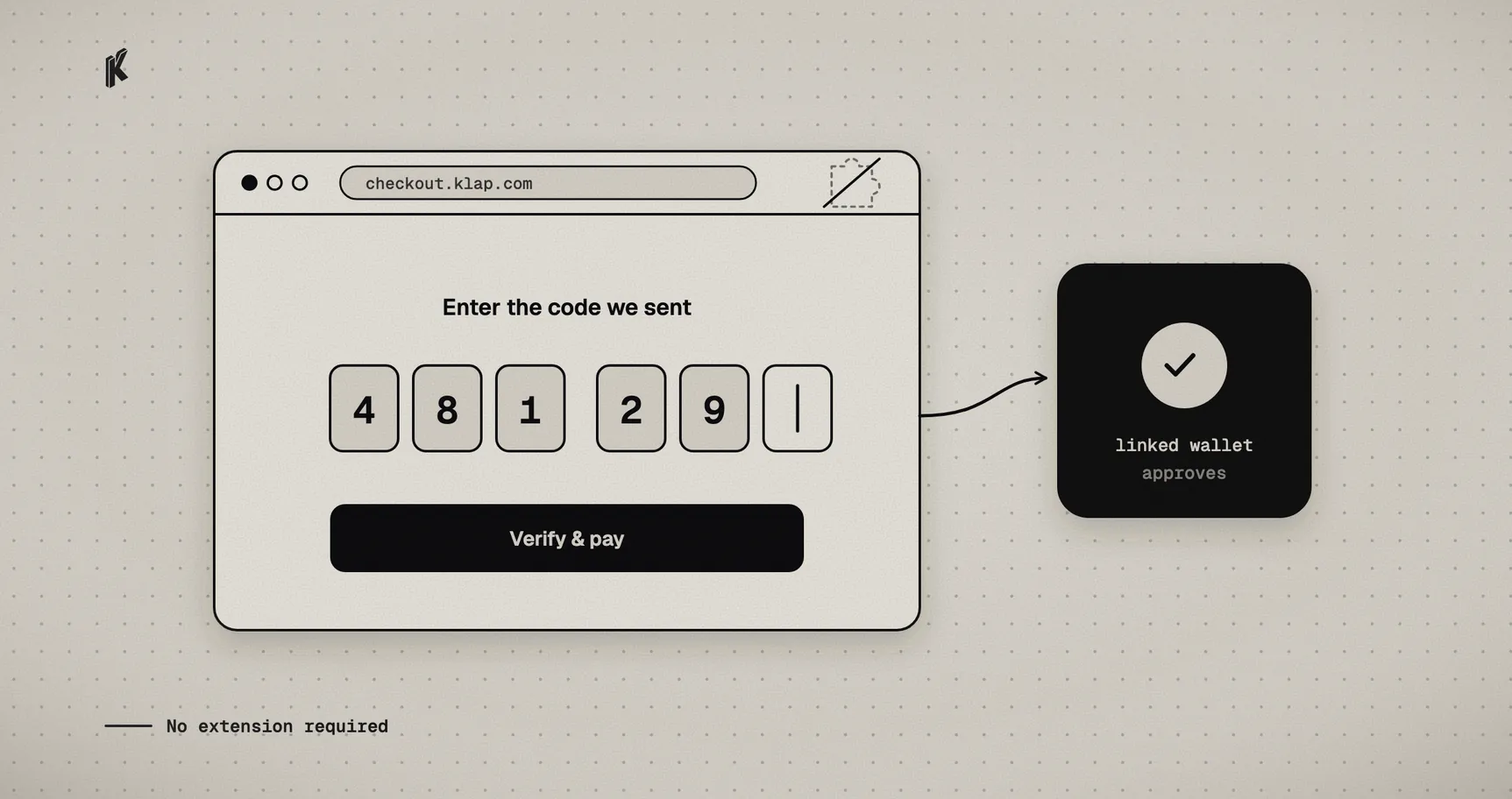
The biggest drop-off point in most crypto checkouts isn't confirmation time or gas fees. It's the moment a customer realizes they need a browser extension they don't have. EIP-6963 wallet discovery and WalletConnect QR codes solve real problems, but they both assume the customer already has a wallet with a working connector reachable from that browser tab. A large share of customers — most of the mobile web, most people new to crypto — simply don't.
That's a UX problem, not a custody problem, and it doesn't require compromising on either. Klappay One is built around a different entry point: verify who the customer is, let them approve a payment from a wallet they already have, and never ask them to install anything.
What "no extension" does and doesn't mean
Removing the extension requirement does not mean Klappay holds a key on the customer's behalf. The customer's wallet still signs the transaction. Klappay still never has custody of the funds or a private key. What changes is where the approval happens: instead of an injected provider inside the same browser tab, the approval happens inside the customer's own wallet app, and the result is reported back independently — not taken on trust from the page that asked for it.
Concretely, three parties are involved, each with a narrow job:
- The merchant's page embeds a button. It never touches identity, wallet state, or transaction data — only a charge ID.
one-id, a hosted identity and wallet surface on Klappay's own origin, runs inside a popup or iframe. It owns OTP verification, the customer's linked wallet list, and the approval flow itself.- Klappay Core independently verifies the resulting transaction on-chain before crediting the charge — a signed transaction hash is evidence to check, not a payment to trust.
The flow a customer actually sees
- The customer clicks pay. A popup or iframe opens to
one-id, scoped to that specific charge. - They verify with a one-time code sent to an email or phone number — no password, no extension, no prior account required.
- They pick from wallets they've previously linked, or link one on the spot via WalletConnect or MetaMask's own connect flow.
- They approve the transaction inside their own wallet app. The approval never leaves that app —
one-idnever sees a private key, and the merchant's page never sees the wallet at all. one-idreports the result back to the merchant's page overpostMessage. Klappay Core separately confirms the transaction on-chain before the charge is marked paid.
Nothing about this changes what a wallet approval means. It changes what a customer needs already installed to produce one.
Embedding it
The merchant-facing surface is a small script, not an SDK integration:
<klappay-button charge-id="ch_123" variant="black" size="md"></klappay-button>
Or programmatically, when you need to react to the outcome yourself:
import { createKlappayOne } from '@klappay/one'const checkout = createKlappayOne({chargeId: 'ch_123',onSuccess: (result) => {showConfirmationUI(result)},onError: (error) => showRetry(error),onCancel: () => resetButton(),})checkout.open()
onSuccess is a UX signal, not a payment confirmation — treat it exactly like a wallet signature in any other checkout flow: good enough to update the interface, not good enough to fulfill an order. Fulfillment still depends on Klappay Core's webhook reaching your backend, for the same reason a client-reported transaction hash was never enough in a browser-extension flow either.
A lifecycle you can build a real interface around
The bridge between the popup/iframe and the merchant's page emits more than a single success/failure callback. A payment attempt moves through pending (the wallet has been asked to sign, hasn't responded yet), confirming (a transaction hash exists and is independently checkable, even though Core hasn't confirmed it yet), then a terminal success, error, or cancel.
There's a fourth, non-terminal state worth designing for: reconnecting. A customer who leaves the tab to approve inside a separate wallet app and comes back can trigger a dropped realtime connection on return — common enough on mobile that it needs its own state rather than silently failing. Surfacing "reconnecting, hold on" instead of a generic error is a small detail that avoids a support ticket from a customer who actually just needs to wait a few seconds.
Where this fits next to a standard checkout
This isn't a replacement for wallet-extension checkout — it's a second front door. A customer who already has MetaMask installed and prefers connecting it directly loses nothing by using checkout-kit's standard flow. The OTP-plus-linked-wallet path exists for the much larger group of customers who don't have that set up, and who would otherwise bounce off checkout entirely rather than go install a browser extension mid-purchase.
Custody doesn't move for either path. The only thing that changes is how much the customer needs to already have installed before they can pay.